Anime
Anime Character Prompts: Appearance, Pose, and Scene
Build an original courier character, plan a readable single-person pose, and keep track of changes when exploring a new setting.
'A cool anime character' is fine for exploring ideas, but difficult to revise. To change a sleeve, try another pose, or move the character into a new scene, you need an appearance description you can keep.
This guide builds an original courier: visible traits first, then a simple pose, then a setting. The anime page uses fixed anime settings. It does not provide identity locking, pose-skeleton control, or guaranteed consistency across views. The workflow organizes your attempts; it does not guarantee the same character in every output.
1. Make a short appearance list
Begin with visible traits: short dark brown hair, a green cropped jacket, an ivory scarf, and a brown crossbody bag. 'Courier' supplies enough context for the first attempt. A long backstory will not automatically become an accurate outfit or expression.
For an original character, describe your own combination rather than using an existing franchise name as a substitute for design. Save the appearance paragraph and copy it when changing a scene, so scarf color or hair length does not change accidentally in your own wording.
2. Start with one person and one simple pose
State the count, action, and framing clearly. Try one person standing with arms resting naturally and the full body visible. Running, looking back, holding an umbrella, and opening a bag at once creates several body-and-prop relationships to inspect.
The anime page defaults to 9:16 with fixed style, color, lighting, and composition; the ratio remains adjustable. Start with a centered full-body portrait and a simple background. This is not a promise of a precise multi-view character sheet.
The first actual attempt placed the shoe tips against the lower edge. A second request with identical wording produced the selected version with both feet retained. Hair still sits close to the upper edge; choose or revise the image further if the layout needs more safe space.
One original anime courier character, short dark brown hair, green cropped jacket, ivory scarf, brown crossbody bag, standing alone, arms resting naturally, front-facing full body visible including both feet, centered composition, plain light background, clear linework, no text
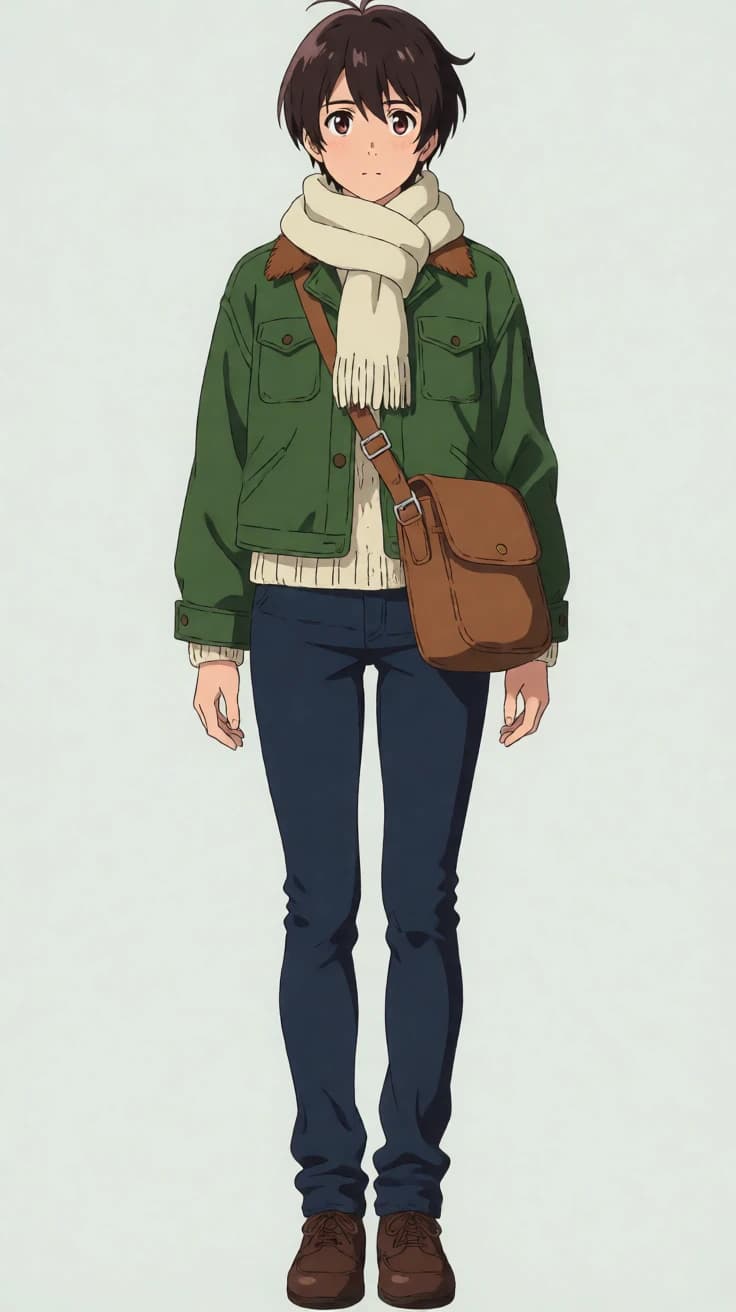
3. Fix structure before decorative detail
Scarf patterns can wait. Extra fingers, a bag strap passing through the body, or missing feet affect usability immediately. Review structure first, clothing and props second, and atmosphere last.
If a complicated pose repeatedly fails, simplify it. Replace 'running while turning and waving' with 'standing, body turned slightly, arms resting naturally.' This reduces the relationships to inspect, but the result still needs review. Words such as 'perfect anatomy' do not replace a clear action description.
- Count and framing: one character and all requested body parts visible.
- Limbs: sensible counts, joint directions, and proportions.
- Clothes and props: scarf, sleeves, and bag strap not merged or misplaced.
- Appearance: hair, clothes, and accessories match the saved list.
4. Keep the character paragraph and add a setting
Once the direction works, copy the appearance paragraph and replace only the background. Try a railway platform after rain, distant lights, and moderate background detail. Keep the standing pose for now, so you are not changing both pose and scene.
The new setting may change the colors, lighting, and character. Compare hair, collar, scarf, and bag placement side by side. Similar colors do not establish identity consistency. If differences are too large, use one result as a standalone illustration or make manual corrections in an external drawing tool.
This station output keeps the green jacket, light scarf, and brown bag direction, but changes the face, drawing style, and hardware. It also adds sign-like lettering. It can serve as a separate scene reference, but does not demonstrate locked character identity.
One original anime courier character, short dark brown hair, green cropped jacket, ivory scarf, brown crossbody bag, standing alone, arms resting naturally, front-facing full body visible including both feet, centered composition, railway platform after rain, distant lights, moderate background detail, clear linework, no text
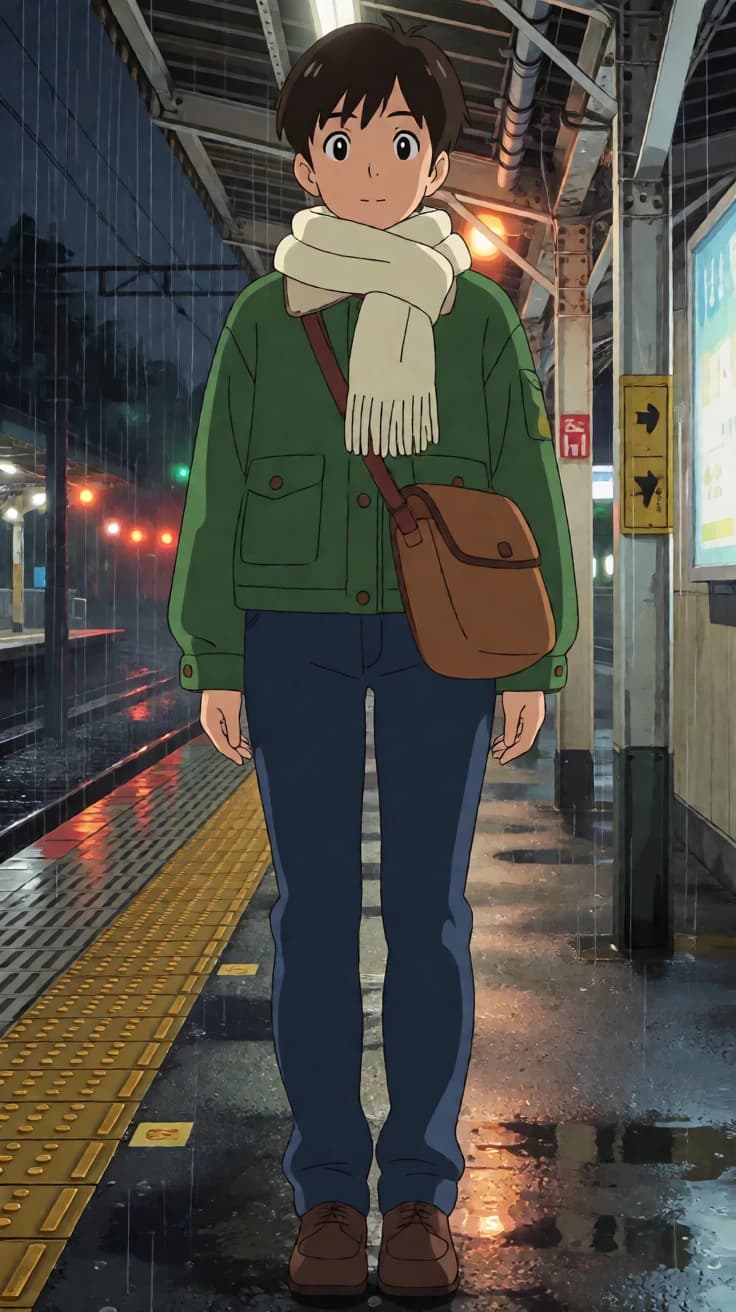
5. Plan wallpapers, avatars, and posters separately
For a vertical wallpaper, consider where the phone interface will cover the image and avoid crowded edges. A square avatar needs a head-and-shoulders crop and space around the head. A poster needs a readable area for later wording. When changing ratios, review subject size rather than forcing the same crop into every placement.
Set titles and slogans in an external editor. Generated characters that resemble lettering are not dependable information. The anime page uses centered composition; try the general homepage generator when you need more flexible placement for a complex poster layout.
6. Keep a record you can compare
Use a simple version log: '01: plain background, merged bag strap; 02: station background, longer hair.' That is more useful than saving only favorites, and helps you avoid repeating a failed approach.
Prompts and settings preserve a design direction, not a locked identity. Continuous comic panels, accurate multiple views, and stable costume details may need manual drawing and correction. One close match is not a guarantee for the next output.
| Record | What to save |
|---|---|
| Version | Filename, ratio, controls |
| Kept elements | The appearance paragraph |
| This change | Only the revised pose or setting |
| Problem | Specific limb, accessory, or crop issue |
| Use | Standalone art, wallpaper reference, or material to edit |